

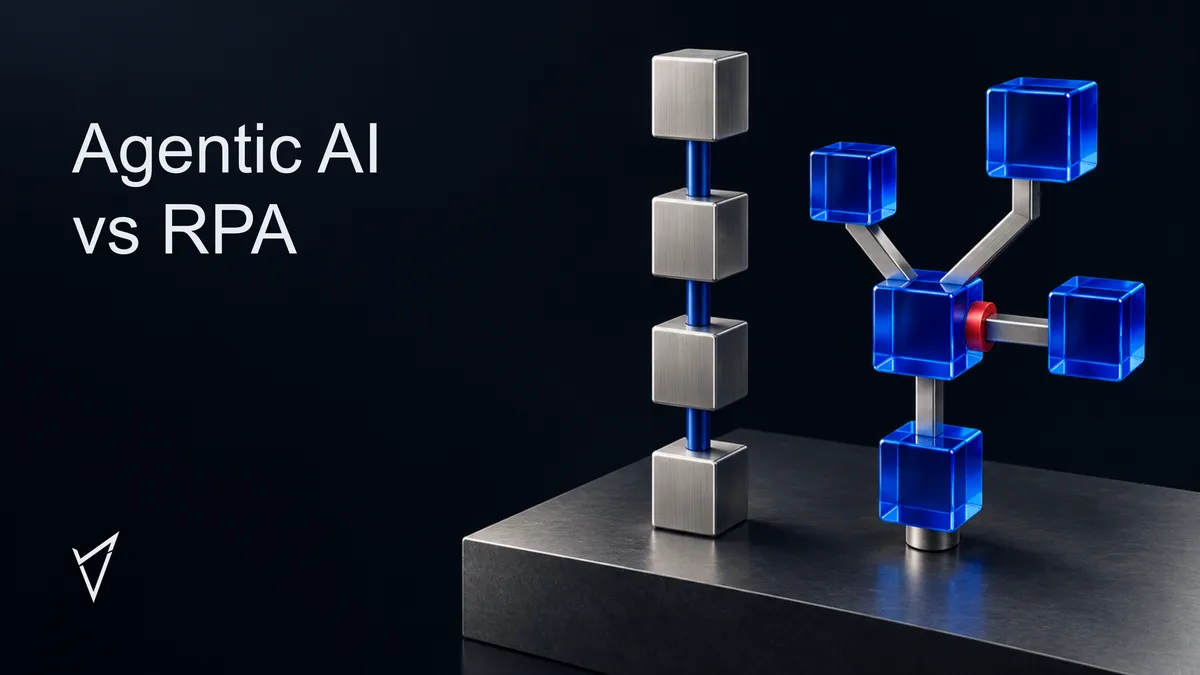

Agentic AI
Agentic AI vs RPA: What's Different, and When to Use Each
Written by Tehreem Fatima
Published 12 min read

Agentic AI vs RPA comes down to who decides the next step: a script written in advance, or software that works out the step from a goal and the situation in front of it. Most business processes need some of each.
This article sets out how to choose between them, and what changes when an AI agent takes over work that a bot used to do.
What Is the Difference Between Agentic AI and RPA?
RPA (robotic process automation) follows a fixed script, usually by repeating the clicks and keystrokes a person would use, so it works best on stable, structured tasks. Agentic AI uses a language model to choose its own steps toward a goal, so it can handle messy inputs and exceptions, at higher cost and with less predictable behavior.
Anthropic’s guidance on building agents draws the line this way: “Workflows are systems where LLMs and tools are orchestrated through predefined code paths,” while “Agents, on the other hand, are systems where LLMs dynamically direct their own processes and tool usage.” Source [1] That wording describes AI systems, but it also separates RPA from agents. A classic RPA bot sits on the predefined side, because nothing inside it decides anything. Some RPA products now add AI features such as document reading, so read the differences below as tendencies, not walls. If the terms AI agent, agentic AI and LLM still blur together, AI Agents vs Agentic AI vs LLMs sorts them out.

What Does RPA Do Well, and Where Does It Break?
RPA, short for robotic process automation, is software that carries out a fixed sequence of steps in other applications, usually by repeating the clicks and keystrokes a person would use. A bot follows its script exactly. That makes it fast and predictable on structured, stable tasks, and fragile when the screen or the input changes.
Microsoft’s documentation for Power Automate describes its RPA tooling as designed for people who perform “simple or complex rule-based tasks on their workstations,” including work with “modern and legacy applications.” Source [4] In practice a bot does the work a person does on a screen, only faster and without tiring.
Three things count in its favor:
- Predictable results. The same input produces the same output, which makes testing and auditing straightforward.
- No model charges. A bot does not call a language model on every run, so the cost per run is usually low once it is built.
- No API needed. If a person can do the task on screen, a bot can usually be taught to do it.
Two things count against it. A bot depends on the screen. UiPath’s documentation says its exact-match way of finding a screen element (a selector is the rule a bot uses to find a button or field) ensures precise identification “but may fail if these attributes change dynamically or if the UI lacks stable identifiers.” Source [5] A looser matching mode is described as “more resilient to slight UI changes,” Source [5] so a well-built bot tolerates small changes, but a moved field or a renamed button can still stop it until someone repairs it. And a bot needs input it can read as fields. An email that says “I moved last week, please update my details” is not a field, and a script cannot interpret it.
What Does Agentic AI Add, and What Does It Cost?
Agentic AI is software built around a language model that works toward a goal by choosing its own steps, calling tools and checking results along the way. It can read messy input and handle exceptions a script cannot. It also costs more per run, behaves less predictably, and needs limits on what it is allowed to do.
An agent can read that email about the move, work out what is being asked, check it against the rules and choose the next action. OpenAI’s guide to building agents names three situations where this pays off: workflows “involving nuanced judgment, exceptions, or context-sensitive decisions”; systems “that have become unwieldy due to extensive and intricate rulesets, making updates costly or error-prone”; and scenarios “that involve interpreting natural language, extracting meaning from documents.” Source [2] When a process does not clearly meet those criteria, the same guide says “a deterministic solution may suffice.” Source [2]
The cost side is just as real. Anthropic puts it plainly: “The autonomous nature of agents means higher costs, and the potential for compounding errors.” Source [1] Its guidance recommends “finding the simplest solution possible, and only increasing complexity when needed.” Source [1] An agent that gets one step slightly wrong can carry the error into every step after it, which a fixed script does not do in the same way.
Agents are also not limited to systems with APIs. Microsoft’s Copilot Studio documentation says “By using computer use, agents can complete tasks even when there’s no API to connect directly to the system,” and “Because it’s AI-powered, it adapts to interface changes.” Source [3] So an agent can sometimes do what only a bot could do before. Whether it works reliably on your own systems is something to test, not assume.
Agentic AI vs RPA at a Glance
The table sets RPA vs agentic AI side by side on the points that decide most projects.
| Question | RPA | Agentic AI |
|---|---|---|
| Who decides the next step? | A script written in advance | The model, within limits you set |
| Best input | Structured fields in fixed formats | Emails, documents and free text |
| When a screen or process changes | The script usually needs updating | Often adapts, but the result needs checking |
| Same input twice | Same result | The result can vary |
| Cost per run | Usually low once built | Model calls add cost and delay |
| Main risk | Stops or breaks when something changes | Takes a wrong action with confidence |
| What to record | The fixed steps and any failures | Each step the agent took, and why |
| Works without an API? | Yes, through the screen | Yes in supported apps, or through tools it is given |
AI Agents vs RPA for Business Automation: How to Choose
Use RPA when the input is structured, the rules rarely change and a wrong action is cheap to undo. Use agentic AI when input arrives as free text, exceptions are common and the work needs judgment. Use both when an agent can interpret the request and a bot can safely perform the final step.
Four questions turn that rule into a decision in any RPA vs AI agents comparison. Work through them in order.
- Is the input structured and predictable? If the data arrives in the same fields every time, a script handles it well and an agent adds cost without adding value. If it arrives as emails, scans or free text, something has to interpret it first.
- How often do exceptions happen? If they are rare, a bot that passes the odd case to a person is often enough. If a large share of cases need judgment, the exception queue becomes the real work, and that is where an agent earns its place.
- Is there an API or a database you can reach directly? If so, you may need neither tool. Connecting systems directly is usually more reliable than operating their screens, whether the operator is a bot or an agent.
- What does a wrong action cost? Sending a reminder twice is a nuisance. Changing a bank account or deleting a record is not. OpenAI’s guidance says actions that are “sensitive, irreversible, or have high stakes should trigger human oversight.” Source [2] The higher the cost, the more of the work should stay fixed and the more approvals it needs.
Those four questions settle which tool fits. Which process to start with is a separate decision, and Fossilite’s guide to automating repetitive business tasks covers how to judge whether a task is a good candidate and how to map the work as it is actually done before any tool is chosen.
Agentic AI vs RPA for Back Office Automation: A Worked Example
This example is illustrative, not a description of a real client. Picture a mid-market distributor whose suppliers send change requests by email: new addresses, new contacts and, now and then, new bank details. The finance system has no API, so every change is typed in by hand.
- Reading the request. Each email is worded differently, and some carry attachments. An agent reads it, pulls out the supplier and the change, and checks whether anything is missing.
- Handling gaps. If a field is missing or the request looks odd, the agent drafts a question back to the supplier instead of guessing.
- Approval. Address and contact changes can follow a simple rule. A bank-detail change goes to a named person every time, because a mistake there is costly and hard to reverse.
- Entering the change. Once it is approved, a bot types the change into the finance screen. The step is fixed, so it behaves the same way every time.

Neither tool does the whole job. The agent handles the messy front end, a person makes the high-stakes decision, and the bot does the repetitive entry. If the finance system later gets an API, the bot can be replaced with a direct connection and the rest of the process stays as it is. Supplier changes are one process in one department. For the same split applied across nine business functions, with the level of autonomy each one can carry, see SensViz’s guide to Agentic AI Use Cases.
Can Agentic AI and RPA Work Together?
Agentic AI and RPA work together well on many processes, and the combination is often the better design. The agent interprets the request and decides what should happen. The bot performs the fixed step it already does well. That keeps the riskiest part, the write into a live system, narrow and predictable.
The hard part is failure. Suppose the bot stops halfway through entering a record. An agent that simply tries again could create a duplicate. A safer design records a checkpoint after each step, makes steps safe to repeat where it can, and puts a limit on retries. OpenAI’s guidance recommends that kind of limit: “Set limits on agent retries or actions.” Source [2] When the limit is reached, the case goes to a person with its history attached, not back into the loop.
What to Check Before an Agent Touches a Live System
Before an agent acts on a real system, whether through an API or on screen, put these in place:
- Least privilege. Give the agent’s account only the access the task needs. Microsoft’s guidance for computer use says to “follow the principle of least privilege.” Source [3]
- Approval for irreversible actions. Payments, deletions and changes to bank or contract details wait for a person.
- A retry and action limit. Decide in advance how many attempts the agent gets and what happens after that.
- A record of every step. You should be able to see what the agent did and in what order, so a wrong result can be traced.
- Testing on real exceptions. Anthropic recommends “extensive testing in sandboxed environments, along with the appropriate guardrails.” Source [1] Include the awkward cases from your own inbox, not just clean samples. SensViz’s post on LLM testing covers how to build that test set from real work and how to compare one version against the last.
For the longer version of this list, see SensViz’s guide to Building Agentic AI Systems.
How SensViz Can Help
SensViz builds both sides of this choice. Its AI automation services cover workflow and system automation, document processing that routes uncertain cases for review, and orchestration with tools such as Make and n8n, connectors, webhooks and custom APIs. Where a process needs an agent that plans and chooses its own steps, agentic AI development adds that, with the controls described above.
If you have a process where the work keeps getting stuck, talk to SensViz about which parts need a script, which need an agent, and which need neither.
Frequently Asked Questions
These are the questions buyers tend to ask once they understand the difference.
Does Agentic AI Replace RPA?
Agentic AI does not automatically replace RPA. A bot that runs reliably on stable, structured work has no reason to be rebuilt. A practical approach is to keep the bots that work and look hard at the ones that break often or need constant rule changes. Rewriting a bot that works adds cost and risk without adding value.
Is Agentic AI More Expensive Than RPA?
Agentic AI and RPA have different cost shapes. RPA costs sit mostly in building and maintaining the bot, with a low cost per run. Agentic AI adds model usage on every run, plus testing and monitoring, so its cost varies with volume and complexity. Which one is cheaper depends on how many cases you run and how often things change.
Can an AI Agent Trigger an Existing RPA Bot?
An AI agent can often trigger an existing RPA bot. The agent is given the bot as one of its tools, so it decides when to call it and what to pass in, while the bot performs its fixed steps. That keeps a tested bot on the risky step and uses the agent only where interpretation is needed.
What Should We Automate First?
The first process to automate should be frequent, easy to measure and low in risk. Run the new version alongside the existing one, with a person approving each result at first. Track how often it is right, how often it needs correcting and how long cases take, and widen its role only when those numbers hold up.
Sources
- [1] Anthropic. Building effective agents (opens in a new tab).
- [2] OpenAI. A practical guide to building agents (opens in a new tab).
- [3] Microsoft Learn. Automate web and desktop apps with computer use (Microsoft Copilot Studio) (opens in a new tab).
- [4] Microsoft Learn. Introduction to desktop flows (Power Automate) (opens in a new tab).
- [5] UiPath Documentation. Advanced Selector Editor (opens in a new tab).