

Agentic AI
AI Agent vs AI Assistant: What's Different, and Which One You Need
Written by Tehreem FatimaReviewed by Umaid Asim
Published 12 min read

The AI agent vs AI assistant question matters more than it used to, because the two words are now stuck on almost every AI product. A tool that drafts emails is sold as an agent. A system that changes records in your finance software is called an assistant. The labels have stopped telling buyers what the software will actually do.
The difference is not about how clever the model is. Both usually run on the same kind of large language model. It is about two practical questions: who decides what happens next, and who carries out the action. This post explains each term in plain language, compares them side by side, shows where chatbots and copilots fit, gives five questions that reveal what a product really is, walks through one task handled both ways, and shows how to decide which one a problem needs.
What Is the Difference Between an AI Agent and an AI Assistant?
An AI assistant helps a person do a task: it answers, drafts, finds, and suggests, while the person decides each step and takes the final action. An AI agent is given a goal and works toward it on its own, planning the steps, acting in other systems through tools, and checking back with a person at set points.
What Is an AI Assistant?
An AI assistant is software that uses a language model to help a person with a task while the person stays in charge. It can answer questions from company documents, draft a reply, summarize a meeting, or pull up a customer record, but each step starts with a request and ends with a person deciding what to do with the result.
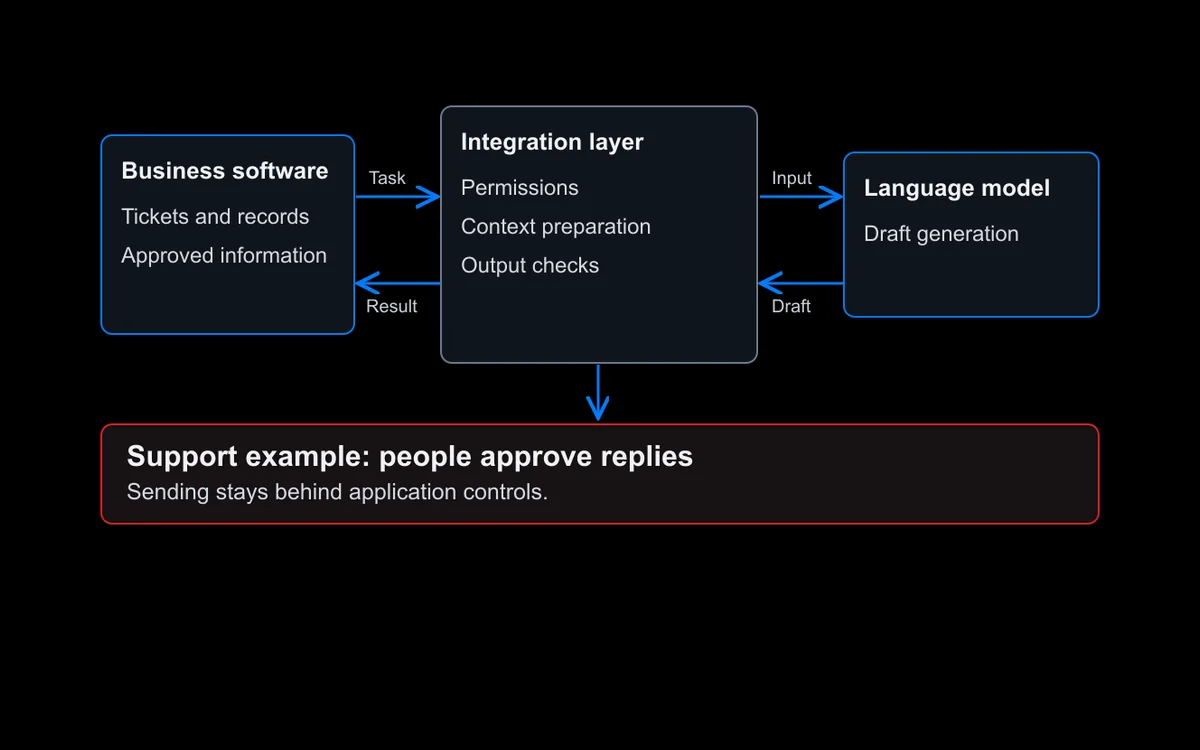
Assistants can still use tools. A good internal assistant might search a knowledge base or read data from a CRM before answering. What it does not do is decide on its own to take a chain of actions and carry them out. When it suggests sending an email, a person reads it and presses send.
What Is an AI Agent?
An AI agent is software that uses a language model to work toward a goal by deciding its own next steps and acting in other systems through tools, such as a CRM or a ticketing tool. OpenAI’s guide to building agents puts it simply: “Agents are systems that independently accomplish tasks on your behalf”Source [1].
The same guide adds that applications which use a language model but “don’t use them to control workflow execution” are not agents, and names simple chatbots as an example.
Anthropic’s engineering team describes how that plays out in practice: agents “begin their work with either a command from, or interactive discussion with, the human user. Once the task is clear, agents plan and operate independently, potentially returning to the human for further information or judgement”Source [2]. The person sets the goal. The agent works out the path.
An agent’s value comes from the actions it can take, such as updating a ticket, placing a hold on an invoice, or booking a slot, and from handling cases where the right next step depends on what the last step found.
AI Agent vs AI Assistant: Side-by-Side Comparison
The clearest way to see the AI assistant vs AI agent difference is to compare how each one behaves across the same set of questions. The table below does that.
| AI assistant | AI agent | |
|---|---|---|
| Who starts the work | A person, with each request | A person or an event, once, with a goal |
| Who decides the next step | The person | The agent, within limits people set |
| Can it act in other systems? | Usually reads and suggests; a person takes the action | Yes, through the tools it is given |
| How long a task runs | One request and one response, or a short exchange | Many steps, sometimes minutes or longer |
| Who checks the result | The person, every time | The agent checks its own steps; a person approves key actions |
| Main risk | A wrong or misleading answer that someone acts on | A wrong action taken in a real system |
| What it needs to run safely | Good sources, clear limits on what it can see | Narrow permissions, approval points, stop limits, and a record of every action |
| Typical examples | Drafting replies, answering policy questions, summarizing documents | Triaging and routing tickets, processing invoices, preparing account changes |
Table 1. How an AI assistant and an AI agent differ. Most real products sit somewhere between the two columns.
The rows that matter most are the second and third. If a person decides each step and takes each action, it is an assistant, however capable it is. If the software decides the steps and takes actions itself, it is an agent, even if a person approves some of them.
Where Chatbots and Copilots Fit
Chatbots and copilots are often lumped in with both terms. They are easier to place once you think of the four as points along one line, from most human control to least, as shown in Figure 1.
- Chatbot. Answers questions in a conversation, often from a fixed set of content or rules. It rarely acts outside the chat. Many customer service chatbots sit here.
- AI assistant. Helps a person with open-ended work: drafting, finding, summarizing, comparing. The person drives each step.
- Copilot. An assistant built into the tool where the work happens, such as an email client, a code editor, or a support desk, so its suggestions arrive in context. The person still accepts or rejects each suggestion.
- AI agent. Takes a goal, plans the steps, and acts through tools, with a person approving the actions that carry real risk.
The lines between them blur, and many products now combine modes. A support tool might suggest replies like a copilot for most tickets and act like an agent for routine password resets.
How to Tell Whether a Product Is an Assistant or an Agent
Product labels are not a reliable guide, so ask the vendor or the team building it these five questions. The answers tell you what the software will actually do in your systems, and how much control you will need around it.
- What can it change without a person clicking approve? If the answer is nothing, it behaves as an assistant. If it can update records, send messages, or move money on its own, it is an agent.
- Whose access does it use? An assistant usually works with the signed-in person’s access. An agent may run with its own account, which needs its own, narrower permissions.
- Can you limit it to suggestions? A well-built agent can be switched to draft-only mode, or off entirely, without breaking the process around it. That gives you a safe fallback if something goes wrong.
- What happens when it gets stuck or unsure? A good agent stops and hands the case to a person with what it has found so far, rather than guessing.
- What is recorded? For an agent, you should be able to see every step, tool call, and approval after the fact.
One Task, Handled Both Ways
Here is an illustrative example of the AI agent vs AI assistant difference in practice: a supplier invoice arrives that does not match the purchase order. Figure 2 shows how an AI assistant and an AI agent would each handle it.

With an AI assistant, a finance clerk notices the mismatch and asks the assistant for help. The assistant pulls up the purchase order and the delivery record, points out that the invoice charges for 120 units when 100 were delivered, and drafts a polite query to the supplier. The clerk checks the figures, edits the email, sends it, and puts the invoice on hold in the finance system.
With an AI agent, the agent picks up the invoice from the incoming queue and checks it against the purchase order and the delivery record on its own. It finds the same 20-unit difference, places the invoice on hold (a low-impact action that is easy to reverse), and drafts the supplier query. The clerk sees a short summary with the evidence and the proposed email, approves it, and the agent sends it and records what it did.
Both save time. The assistant saves the clerk’s research and drafting time on the invoices the clerk already spotted. The agent also finds the mismatches nobody spotted, but it needs read and write access to the finance system, a rule about which actions it can take alone, and a record of every step.
When an AI Assistant Is Enough
An AI assistant is usually the better choice when a person should stay in charge of each decision, or when the work does not justify the extra controls an agent needs. It is the right starting point in these situations:
- The work is mostly text in and text out. Drafting, summarizing, answering questions, and preparing documents rarely need an agent.
- A person needs to own every decision. Legal advice, sensitive customer replies, and anything involving judgment about people are often better kept with a person who uses an assistant.
- Requests vary too much to define a goal. If every request is different and short, an assistant answering each one is simpler than an agent planning for each one.
- You are starting out. An assistant is easier to test, cheaper to run, and shows quickly whether the underlying data and sources are good enough.
If the steps are always the same, neither may be the best fit. A fixed workflow or AI automation is often cheaper and more predictable than either.
When You Need an AI Agent
An agent earns its extra cost and controls when a task has several steps across systems and the right next step depends on what the previous one found. OpenAI’s guide names three situations where agents are most valuable: complex decision-making, rules that have become difficult to maintain, and heavy reliance on unstructured data such as documents and messages Source [1].
Anthropic adds that agents suit problems “where it’s difficult or impossible to predict the required number of steps, and where you can’t hardcode a fixed path”Source [2].
In practice, signs that a process needs an agent rather than an assistant include:
- Volume. There are too many cases for a person to start each one, so work needs to be picked up automatically.
- A clear finish line. The agent can tell when a case is done, such as an invoice cleared or a ticket routed to the right team.
- Access you can grant safely. The systems involved can give the agent narrow, separate permissions rather than broad shared access.
- Containable actions. The actions involved can be limited, approved, or reversed if they go wrong.
If the last condition does not hold, start with an assistant and keep the person in the loop until it does.
What Changes When You Move From an Assistant to an Agent
Moving from an assistant to an agent is not just a feature upgrade. The agent now takes actions that used to pass through a person, so the controls that a person used to provide have to be built into the system.
- Permissions. Give the agent only the tools and access the task needs, enforced in the connected systems rather than in the agent’s instructions. OWASP’s 2026 guidance on excessive agency lists “excessive autonomy” as one of its three root causes, describing it as an application that “fails to independently verify and approve high-impact actions” Source [3].
- Approval points. OpenAI’s guide says actions that are “sensitive, irreversible, or have high stakes should trigger human oversight until confidence in the agent’s reliability grows” Source [1]. Fossilite’s guide to human-in-the-loop AI design covers how to set review triggers and give reviewers what they need to decide quickly.
- Limits. Set caps on steps, time, and cost per task, so the agent stops cleanly instead of looping.
- Testing. Test the path as well as the answer: did the agent use the right tools, stay within its permissions, and stop when it should?
- Monitoring. Keep a record of every model call, tool call, and approval, and review it regularly.
Our guide to building agentic AI systems explains each of these controls in detail.
Can an AI Assistant Become an AI Agent?
Often, yes, and it is a sensible way to get there. Many teams start with an assistant, learn where it helps and where its sources fall short, and then hand specific, well-understood actions to an agent once the evidence supports it.
A practical path looks like this:
- Start with an assistant that reads and suggests, so people can see its reasoning and correct it.
- Track the suggestions people accept without changes. Those are the candidates for automation.
- Let the system act on one low-risk action, such as tagging or routing, while a person approves everything else.
- Widen one action at a time as the record shows the agent handles it reliably, and keep approval for anything costly or hard to reverse.
Seen this way, the AI agents vs AI assistants decision is rarely all or nothing. Most useful systems mix the two: assistant behavior where people want control, agent behavior where the work is routine and the actions are contained.
How SensViz Can Help
SensViz builds both. As part of our generative AI development work, we build assistants and copilots embedded in products and internal tools, internal knowledge assistants that help staff search policies and documentation, and support copilots that prepare responses for a person to review. Through our agentic AI development work, we build agents that act through defined tools, pause for a person to approve sensitive steps, and record every run.
We start by working out which one a task actually needs, and use simpler automation where it does the job. If you are deciding between an assistant and an agent for a specific process, we can help you scope it.
Frequently Asked Questions
These cover questions that often come up once the difference is clear.
Is ChatGPT an AI Assistant or an AI Agent?
It can be either, depending on how you use it. In a normal chat it works as an assistant: you ask, it answers or drafts, and you decide what to do next. OpenAI also offers ChatGPT agent, where you describe a task and “the agent will begin executing it,” with confirmations before high-impact actions Source [4].
AI Assistant vs Agent: Which Is Cheaper to Run?
An assistant is usually cheaper to run per task, because it typically answers each request with one or a few model calls. An agent may make many calls as it plans, uses tools, and checks its work, and it needs more testing and monitoring. An agent can still cost less overall if it removes a lot of manual work.
Which Is Faster to Build, an AI Assistant or an AI Agent?
An assistant is usually faster to build, because most of the work is connecting good sources and setting limits on what it can see. An agent takes longer: each action needs its own tool, permissions, approval rules, and testing on real cases. The more systems and actions an agent touches, the longer it takes to build safely.
Sources
- [1] OpenAI, “A practical guide to building agents (opens in a new tab),” business guide (PDF).
- [2] Anthropic, “Building Effective AI Agents (opens in a new tab),” 19 December 2024.
- [3] OWASP Gen AI Security Project, “LLM03:2026 Excessive Agency (opens in a new tab),” OWASP Top 10 for LLM Applications 2026, released 3 August 2026.
- [4] OpenAI Help Center, “ChatGPT agent (opens in a new tab),” accessed 4 October 2026.